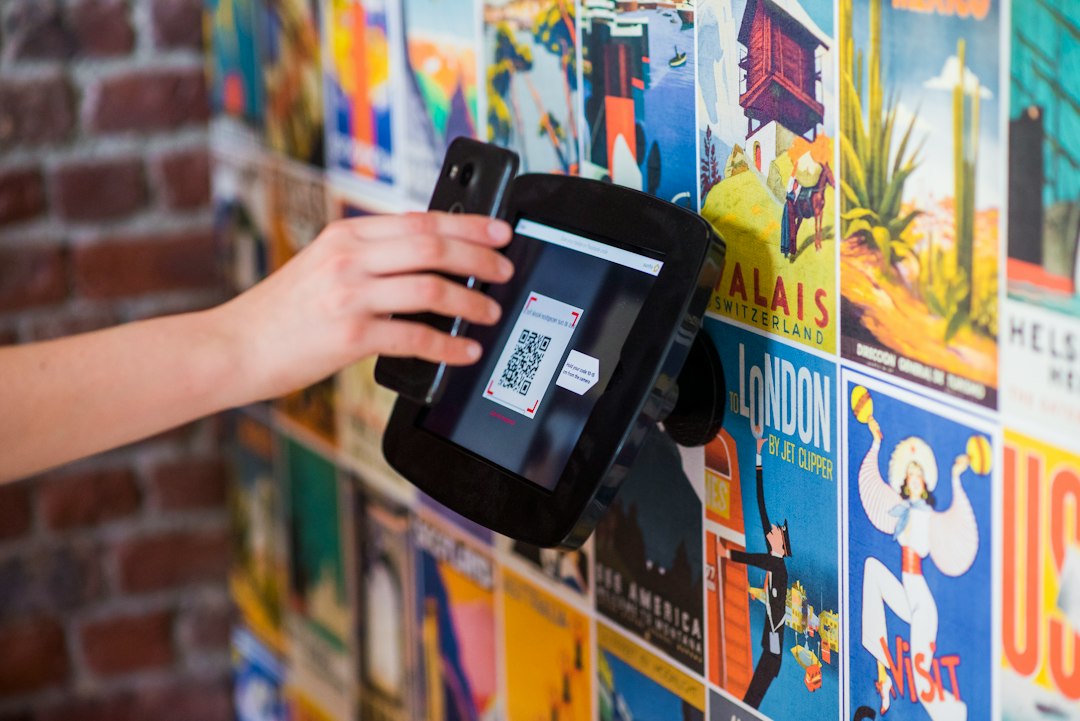
The easiest free tool to make a QR code in 2027 is The QR Code Generator (TQRCG). It gives you three equally simple routes: a website with a short, labeled process and no account, a Chrome extension that turns the page you are on into a code with one click, and a mobile app. Editable codes need a free account, which includes two that never expire.
Key takeaways
- TQRCG is the easiest all-round choice, and it does not need an account for codes that never change.
- TQRCG’s Chrome extension makes a code for the page you’re looking at in one click, with 4.4 stars from 505 ratings.
- QR Code Prime and QR Code Monkey also make fixed codes without an account.
- Easy matters most at the moment you test the code, so pick a tool that shows a live preview you can scan with your own phone.
What makes a QR tool easy?
Easy sounds obvious, but it means a few specific things once you try to make a code you will actually print.
It means the tool asks you only for what it needs, so a web link gets a box for the link and a contact card gets boxes for a name and number, shown as soon as you pick the kind of code.
It also means you do not hit a sign-up wall halfway through. Plenty of tools let you design a code and then ask for an email address before the download button works. Then there is checking, which is the step people skip when they are in a hurry. The easiest tools show you the finished code as you build it, so you can hold your phone up to the screen and make sure it opens the right thing before you save it. That one feature saves more trouble than any design option.
Last of all, easy means the code keeps working without you thinking about it again. A code that quietly stops working after a free trial is not easy at all, however quick it was to make.
How were these six ranked?
Each tool was checked at the time of writing against its maker’s own pages. The order reflects how few steps stand between you and a working download, whether an account is needed, and whether there is a preview you can scan first.
1. The QR Code Generator: three easy routes to one code
The QR Code Generator’s step-by-step maker spells out the whole process on its own page in three numbered steps. Pick the kind of code at the top (a link, a PDF, a contact card and so on), adjust how it looks, then save it as a PNG or an SVG in a size you choose.
The boxes change to match your choice, so a PDF gives you an upload button. The preview updates as you go, and the site suggests scanning it with your phone before saving, a habit that spots a wrong link before anything is printed.
Codes that never change need no account, and there’s no cap on how many you make. Editable codes need a free account, and TQRCG includes two that won’t lapse.
The other two routes are where it pulls ahead. The TQRCG Chrome extension creates a code for whatever web page you are on in one click, and Chrome Web Store users give it 4.4 stars across 505 ratings. There’s also a mobile app listed on the website.
A medical advisor at a veterinary practice wrote on Capterra, “It is intuitive and takes only a few minutes to make each QR code.”
Flex, at $5 a month on a yearly bill, removes the short ad on free editable codes and the download watermark.
2. Chrome’s built-in QR maker
If the thing you want to share is a web page, Chrome has a code maker built in. Google’s help page explains that Chrome can create a code for the page you’re viewing from its main menu, under the options for casting, saving and sharing.
There’s nothing to install and no account to create. The code holds the address of the page in front of you, which makes it a fixed code: the design can’t be changed, the destination can’t be edited later, and there are no scan counts.
Since the code mirrors the address in the tab, load the final version of the page first, with any tracking tags already on the link, and create the code after that. Google’s help page doesn’t name the format of the saved image, so open the file and look at it before a print shop gets it.
In practice, it covers a quick handover, such as showing a page to someone across a table or passing a link from a laptop to a phone. Contact cards, WiFi details and printed codes with a logo need a separate generator, since the built-in option makes plain page links only.
3. QR Code Prime
QR Code Prime’s single-page generator keeps the whole job on one screen. You fill in what the code should hold, adjust the colors and dot style in a second panel, and the download buttons for PNG, SVG and PDF become active once the fields are filled.
Codes that never change need no account and come in twelve kinds, from links and WiFi to WhatsApp and Spotify. The site generates them in the browser, so what you type stays on your own device.
Sign up and you get ten editable link codes on the free plan, free for life according to the company, with no ads during the scan, no watermark on the download and no card needed. Those free editable codes cover links, so an editable PDF or contact card sits outside the free allowance. Each free editable code reports total scans, location and device.
The layout puts content, design and download on one screen, so there are no separate pages to click through between them. QR Code Prime has no G2 listing, which means there’s no review score to set next to the others here.
4. QR Code Monkey
QR Code Monkey follows the layout most people expect from a QR tool. You pick from fourteen kinds of code across the top of the page, type your content, and save it in one of four formats (PNG, SVG, PDF or EPS), with no sign-up anywhere in that path.
Its codes can’t be edited afterwards, which its own page says clearly, so they fit content that won’t change, like a WiFi network, a phone number or an event. The site also states no expiry, no scanning limits and free commercial use for those codes.
Logo and design settings apply to the PNG and SVG downloads only, so pick one of those two files if the code carries a logo.
The panel about statistics and editing leads to a separate paid product on a different site, with its own account, so it sits outside the free generator. QR Code Monkey isn’t reliably listed on G2, so this article quotes no rating for it.
When a code stays the same for years, the whole job is to pick the type, fill in the box and download the SVG for print.
5. Canva
If you’re already building a poster or invitation in Canva, a code can be added inside the design without switching tools. Fixed codes are free on every Canva plan and don’t carry the Canva logo, according to Canva’s help page.
Editable codes are available on any plan, and on the Free, Pro and Education plans they carry the Canva logo. Scan analytics, your own logo inside the code, expiry dates and editing by collaborators need a Business, Enterprise or Nonprofit plan.
If you only want the code on its own, Canva means opening the design editor first and starting a design, which adds steps compared with a single-purpose generator.
The practical gain is placement. The code sits in the layout at the size you set, next to the text and images it belongs with, so there’s no separate file to bring in. For a team already paying for Canva Business, the analytics come with the plan it has.
Before printing, scan the code inside the finished design, since the layout around it can change its size and the space at its edges.
6. ME-QR
ME-QR offers a free tier with no ceiling on scans and several code types, and the company describes the free plan as free forever. Every code on the free plan shows ads to the person scanning, a point to weigh for anything customer-facing such as a menu or a shop window.
Paid tiers come with yearly and monthly billing. Lite is US$10.50 a month billed yearly or $16.99 monthly, and it clears ads from one code. Premium is $15.08 a month billed yearly or $27.99 monthly and is listed as ad-free.
Ending a paid plan later doesn’t break the codes, according to the company, though the ads come back on them. So it helps to decide early whether an ad screen is acceptable on a given placement, before the code is printed in any quantity.
The making part follows the usual pattern of choosing a type and entering the content, then downloading the file. On a personal or internal code where an ad screen doesn’t matter, such as a notice in a staff room, the free plan covers it without a paid step.
Which tool is easiest for which job?
For most everyday jobs, TQRCG is the shortest route, and the list below shows how it handles each one.
When the job is a link on a printed flyer, TQRCG makes a fixed link code without an account, gives you an SVG for the printer and shows a scannable preview, so a wrong address is spotted before the file is saved.
For sharing the page you are reading with a colleague in the same room, TQRCG’s Chrome extension makes the code in one click, straight from the tab, and the other person scans it off your screen. Chrome’s own menu option does a similar job in a few clicks.
A contact card on a business card is a job for TQRCG’s contact type, which lays out the right fields for you, and a fixed contact code works without any phone signal at all. For WiFi at home, QR Code Prime and QR Code Monkey both list a WiFi type.
When the code goes inside a poster you’re designing, make it on TQRCG, download the SVG and place it in the layout, where it stays sharp at any size.
Menus and price lists that change next month call for an editable code, and TQRCG’s free account includes 2 that never expire.
The easiest code of all is the one you never have to reprint.
How do I test my code the easy way?
Testing is where easy tools really earn their place, and with a good preview it only takes a minute or two of your time.
Scan the preview on your screen before you download. If it opens the right page, contact card or WiFi network, download it. If it does not, fix the content now while it is still on the screen.
Then test on paper. Print a single test copy at full size and scan it again from the spot where people will be standing. Most phones read codes straight from the camera app, and Google’s help page for scanning codes on a Pixel shows what that looks like on Android: the camera recognizes the code and shows a link to tap.
Try it on two different phones if you can, ideally including one older model from a drawer or a family member, because older cameras can be fussier about small or pale codes.
What makes a code hard to scan?
A few mistakes cause most scanning problems, and they’re all easy to avoid once you know what they look like on paper.
The first is size, the most common problem of all. Printers often use a ten-to-one rule, so a code scanned from 2 meters away should be about 20 centimeters wide, while one read at arm’s length on a 3.5-inch business card can be far smaller.
The second is contrast, which matters more than color choice.
Dark on light always wins here. A dark code on a light background works best, and light codes on dark backgrounds or pale colors on white often fail on older phones.
The third is the plain border around the code, sometimes called the quiet zone. Trimming it to make a design fit is one of the most common reasons a code that looks fine won’t scan.
A checklist for your first easy code
- Decide whether the content will ever change, and if not, make a fixed code with no account.
- Keep it dark on light, and leave the border alone.
- Scan the preview with your phone before downloading.
- Download an SVG for anything printed bigger than a postcard.
- Print one test copy and scan it from where people will stand.
Common questions about easy QR tools
What is the easiest free tool to make a QR code?
The QR Code Generator is the easiest all-round free tool in 2027, with a three-step website that needs no account for fixed codes, a Chrome extension that makes a code for the current page in one click, and a mobile app. Editable codes need a free account, which includes 2 that never expire.
What is the easiest way to create a QR code?
Open a free generator such as TQRCG, choose the kind of code, enter your link or details, scan the preview with your phone, and download the file. For a web page you’re already viewing, Chrome can create a code from its main menu without any other tool.
Can I make a QR code in one click?
Yes, at least for a web page you already have open. TQRCG’s free Chrome extension creates a code for the page you’re on in one click, and Chrome’s built-in option takes a few clicks from the main menu. Other kinds of code, such as contact cards, need a generator.
Do I need to sign up to make a QR code?
Not for fixed codes whose content will never change. TQRCG, QR Code Prime and QR Code Monkey all let you make and download fixed codes without an account. Editable codes are different, since the tool keeps them on its servers so the destination can be changed, and that requires a free account.
Can I make a QR code on my phone?
Yes. TQRCG links to its own mobile app from the website footer, and the generator pages also load in a phone browser. Scan the preview with a second phone if you can, so you know it works before sharing it.
Why won’t my QR code scan?
Usually it’s too small, too pale, or missing the plain border around the edge. Make the code bigger, use a dark code on a light background, leave the border alone, and test the printed version on two phones.
Is the easiest QR code generator also free?
Yes. TQRCG, QR Code Prime and QR Code Monkey are all free for fixed codes, and Chrome’s built-in option costs nothing. TQRCG and QR Code Prime also include some free editable codes if you create an account.