Three dimension printing also referred to as Additive manufacturing or rapid prototyping has improved massively in recent years. The printers have become more popular among many hobbyists and those who are just starting out exploring the said machine. As a result, many companies have come up with advanced models that enable them to produce great printers at low and affordable costs.
Here are the best and cheapest 3D printers we rounded up with the help of our team of experts. We tested each of these top five picks to assure you’ll get the best choice possible. Also, don’t forget to click the buttons below to get their best deals on Amazon.
Cheapest 3D Printers Comparison & Rating
Cheapest 3D Printers | Features |
| |
| |
| |
| |
|
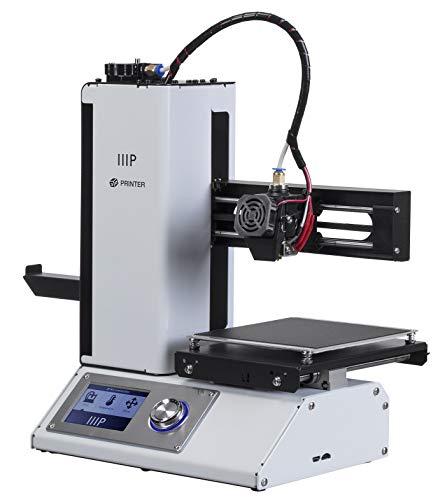
1. Monoprice 15365 Mini 3D Printer
Brand | Monoprice |
Dimensions | 11.3 x 7.5 x 13.5 inches |
Weight | 9.90 pounds |
Compatible Material | ABS, PLA, Wood, Copper, Steel, Metal, Bronze |
It is an amazing printer since it can support different filament types thanks to the extruder that supports different ranges of temperatures. It can use basic filaments like ABS and PLA and other high-quality materials. The filaments are easy to feed in since the printer is installed with a quick-release steel gear filament feeder. Also, a great 32 bit processor, lots of room for potential upgrades, a great size that will fit any size of the working station, and excellently silent up to the last movement of the extruder. Once you learn the best slicing settings, you’ll be able to print exquisitely beautiful models.
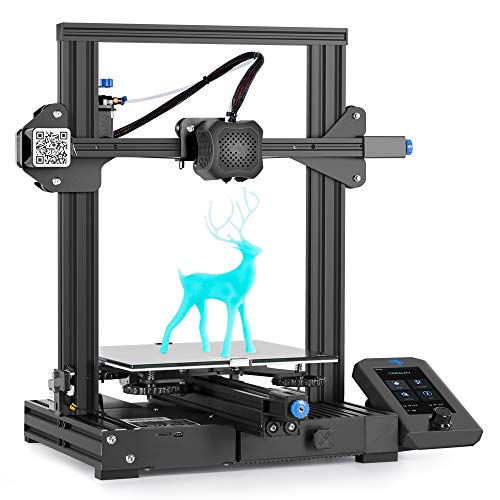
2. Comgrow US1-Ender3 V2-FBA Upgraded 3D Printer
Brand | Comgrow |
Dimensions | 21.02 x 14.96 x 8.03 inches |
Weight | 1.35 pounds |
Compatible Material | PLA |
This Creality Ender 3 V2 upgraded 3D printer is a printer that you will definitely love. Besides saving you some money, it will save you time since it is equipped with a rotary knob on the extruder which ensures that you easily and effortlessly feed in the filament. The silent motherboard also makes the printer move smoothly with less noise of under 50 dB when it’s printing. Additionally, the printer can resume printing from where the extruder was positioned last in case of a power outage or planned pause. Moreover, it has an integrated toolbox to help you conveniently organize and store the printer’s tools.
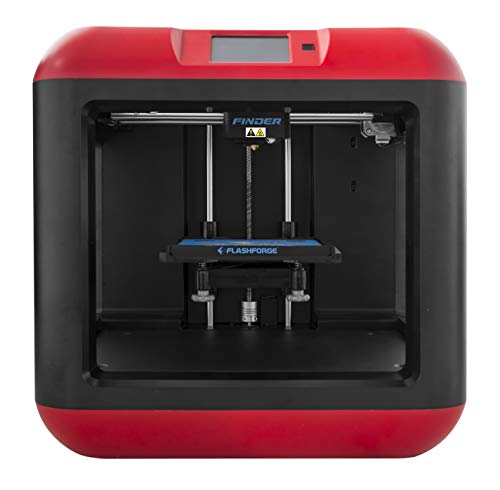
3. FlashForge Finder FFF 3D Printer
Brand | FlashForge |
Dimensions | 16.54 x 16.54 x 16.54 inches |
Weight | 24.3 pounds |
Compatible Material | Plastic, PLA |
If you need a printer that is affordable and user-friendly, the Flashforge Finder 3D printer is the ideal machine for you. It uses a 3D cloud to store, edit, share, and print. Furthermore, the cloud also provides an interesting model database. The non-toxic PLA models that the printer uses are encased in the printer when it’s printing. Also, it is made of alloy and plastic, which makes it sturdy for better stability to produce high-quality printings. Lastly, easy to use. Just take it out of the box, remove sealing tapes, plug it in, install filament, have the automated bed leveling process, and print. So far, this is one of the best semi-plug-and-play 3D for beginners, hobbyists, and students.
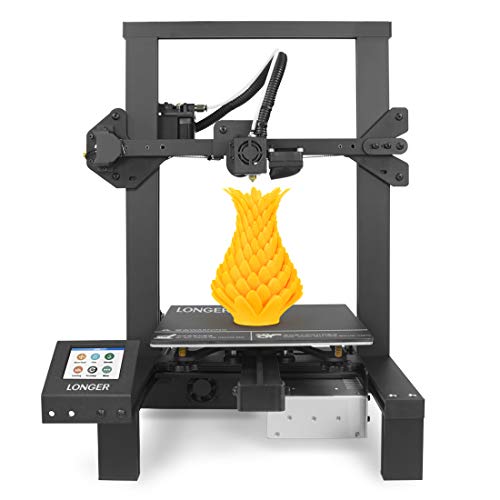
4. LONGER LK4 3D Printer
Brand | LONGER |
Dimensions | 42.5 x 40.2 x 50.5 inches |
Weight | 19.3 pounds |
Compatible Material | 1.75 mm PLA (recommended), ABS, Wood |
Besides being cost-effective, the LONGER LK4 3D printer is a beautiful and great gift for students who are starting out in 3D printing. This printer is 90% pre-assembled upon delivery. The cantilever, gantry, and nozzle are pre-installed by the manufacturer. The remaining parts that are not assembled are easy to put together, and they won’t take much of your time. The printer is equipped with a high-quality power supply protection feature that prevents damages from unexpected power surges. Lastly, smart design for the heat bed as it comes with plugs, making it replaceable which is a huge plus.
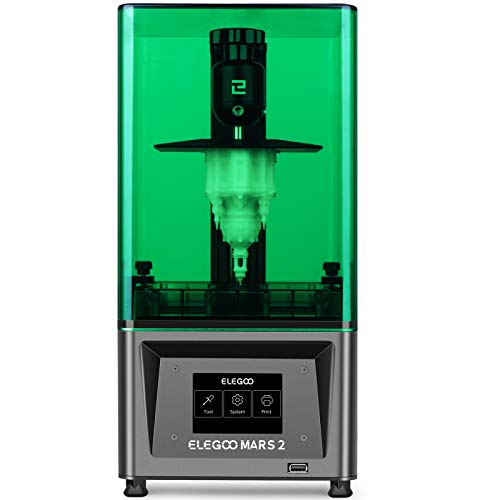
5. ELEGOO Mars 2 Mono MSLA 3D Printer
Brand | ELEGOO |
Dimensions | 15.75 x 16.54 x 7.87 inches |
Weight | 16.98 pounds |
Compatible Material | Resin |
ELEGOO Mars 2 Mono MSLA 3D Printer uses a monochrome LCD that has a 2K HD resolution, which ensures the printer has a longer lifespan of up to four times than other printers. The printer also has a high printing speed, but it does not compromise the quality of the printings. The replaceable resin tank is made with plastics that are environmentally friendly and can be degraded. The UV LED light ensures that the printer has perfect heat dissipation, and it also ensures that your printings are of excellent quality.
Cheapest 3D Printers - Buyer's Guide
This is a factor that you should consider. 3D printers come either fully assembled or pre-assembled. The pre-assembled printers require less of your time to install the remaining parts. The fully assembled printers mean you get them from the box and start printing since most of them are even installed with testing filaments. If you are just starting, you might need to consider the fully assembled printers.
There are different printing technologies including stereolithography (SLA), digital light processing (DLP), selective laser sintering (SLS), fused deposition modeling (FDM) also referred to as fused filament fabrication (FFF), and selective laser melting (SLM) among others. The most common printing technology in the world of 3D printers is fused deposition modeling (FDM). This means that the filament materials are readily available in the market. Consider a printer that uses FDM technology since the materials are available.
The build volume simply means the area where the modeling will be printed. To get the ideal size, you need to consider the size of the printings that you will be printing. For larger printings, you will need a larger printing volume. If, for instance, you need a printer for home use by the kids, you might need one that has a small building area.
3D printers are constructed with different materials. There are those that are made with plastics, others with aluminum yet others with plastic. The material used will determine how sturdy and stable your printer will be. When choosing the ideal printer, go for the one that is made of either metal or aluminum. This will guarantee good stability, effectiveness, and durability.
Different printers have different screen sizes. The screen will help you operate the printer easily. Unlike the traditional printers which used knobs to operate the modern technology has simplified the hassle by creating printers with touch screens. If you are starting out, the touch screens will come in handy and will ease operating the printer within no time. Consider getting a printer that has a reliable touch screen for smooth operations.
Cheapest 3D Printers - FAQs
Most 3D printers use a wide range of filament materials. The FDM printing technology allows the printer to use different filaments to include PLA, ABS, PVA, and polycarbonate. Others may even use high-performance materials like metals, fiber, or resin. It depends on the type of printer or its printing technology.
If you want to get a printer that your kids can use, always opt for the printer that is encased. An encased printer means that the working area is closed with a transparent cover so the kids can see the progress of the printing but they cannot touch it. This is safe with kids.
This entirely depends on the size of the printer. The large and bulky industrial printers have a large building volume hence they can print larger models. For smaller printers, the build volume is less in size so you cannot print large models using them.
3D printers are constructed with a memory-retention feature whereby in case of a power outage or a pause, the printer can resume and continue printing from where the extruder is positioned before the power loss. This will also save your time and material.