A document photo often becomes a problem at the worst possible moment: when the form is already open and the upload box is waiting.
The photo may look fine on your phone. Your face is clear, the background seems plain, and the file opens without any issue. But once it is uploaded, the system rejects it, or the application comes back asking for a new image.
That is what makes passport, visa, and ID photos frustrating. They are small files, but they are judged by very specific rules. A photo can look perfectly acceptable to a person and still be wrong for an official application.
A Good Photo Is Not Always a Correct Photo
Phone cameras have made people confident about taking their own photos. In normal situations, that confidence makes sense. A modern phone can produce a sharp, bright image with very little effort.
Official document photos are different.
They are not judged like profile pictures or casual portraits. They often have to fit a fixed size, place the head within a certain area, use a plain background, and meet specific digital requirements. These requirements can vary by country, so it is always worth checking the official passport or visa photo guidelines before uploading an image. That is where small mistakes happen.
Someone may take a photo against a white wall, but the wall looks slightly grey after the camera adjusts the exposure. The face may be sharp, but the photo was taken from too far away. The image may be large enough at first, but after cropping, the useful area becomes too small. The file may look fine on screen, but the uploaded version has been compressed by a messaging app.
None of these problems are obvious at first glance. They only appear when the photo has to meet a fixed specification.
Cropping Causes More Trouble Than People Expect
Cropping sounds like the easy part: open the image, move the frame, and save the file.
For document photos, it usually takes more care than that.
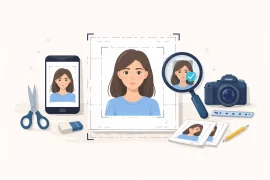
A passport or visa photo has to leave the right amount of space around the head. The face cannot sit too high, too low, or too far to one side. The shoulders need to look natural, and the photo ratio has to match the required format. If the original image was taken too close or too far away, the final crop can quickly look wrong.
This is why preparing a document photo is closer to formatting a file than editing a casual picture. The image has to pass through a system that expects a specific layout.
Anyone who works with design files, print files, product images, or digital submissions will recognize the problem. A file can look fine and still be wrong for the job. A document photo works the same way. It is not just about how the photo looks, but whether it fits the required format.
The Background Is Another Common Issue
A plain background sounds easy until real lighting gets involved.
A white wall can still create shadows. Indoor lighting may make it look yellow or grey. A curtain or painted wall may show texture after the image is cropped. If the person stands too close to the wall, a shadow can appear behind the head or shoulders.
Some people try to fix these issues manually, but background editing can create new problems. Hair edges may look cut out, the shoulders may become uneven, or the whole image may start to look artificial.
For a document photo, the background should look clean without looking over-edited. That balance is harder than it sounds, especially when someone is preparing the photo quickly at home.
Resolution Problems Usually Appear Too Late
Resolution is another area where people get caught.
A phone photo may start with plenty of pixels, but that does not guarantee the final document photo will be usable. If the person is too far from the camera, the face takes up only a small part of the original image. Once the photo is cropped to passport or visa size, the face may no longer be sharp enough.
The problem gets worse if the image has already been resized, screenshotted, scanned, or sent through a messaging app. Many apps reduce image quality automatically. By the time the file reaches the application form, it may no longer have enough detail.
This is why old photos and scanned photos often create problems. They may look acceptable in a small preview, but official uploads tend to expose every weakness: blur, grain, compression, low contrast, and poor edges around the face.
A fresh, high-resolution photo is still the safest starting point.
File Size and Format Can Block an Otherwise Good Photo
Even when the image looks right, the file itself can still cause problems.
Some online systems only accept certain formats. Some have strict file size limits, while others require a certain pixel range. An image may be rejected simply because it is too large, too small, or saved in a format the system does not handle well.
This is one of the more frustrating parts of digital applications. The photo may be clear and properly cropped, but if the file does not match the upload requirements, the application can still stop there.
In many cases, the photo itself is not the problem. It may just need to be resized, compressed properly, or exported in the right format.
Why Online Tools Have Become Useful
Online document photo tools are useful because they remove much of the manual guessing.
Instead of opening a blank editor and trying to calculate the correct size, users can choose the document type, upload a photo, and prepare the image around that format. For people dealing with passports, visas, ID cards, work passes, student records, or other official paperwork, that can save time and reduce simple formatting mistakes.
A tool such as IDPhotoDIY.com fits into this kind of workflow. It helps users prepare passport, visa, and ID photos by adjusting the crop, size, and background for different document needs. That is especially useful when someone needs a digital photo for an online application and does not want to make a separate trip to a studio for one small file.
Of course, not every photo can be rescued. If the image is blurry, the face is partly covered, the lighting is poor, or the expression is not acceptable, it is better to retake the photo. But for common problems like sizing, cropping, background cleanup, and file preparation, a dedicated tool is usually easier than editing everything manually.
Taking the Photo Still Matters
The tool is only part of the process. The original photo still matters.
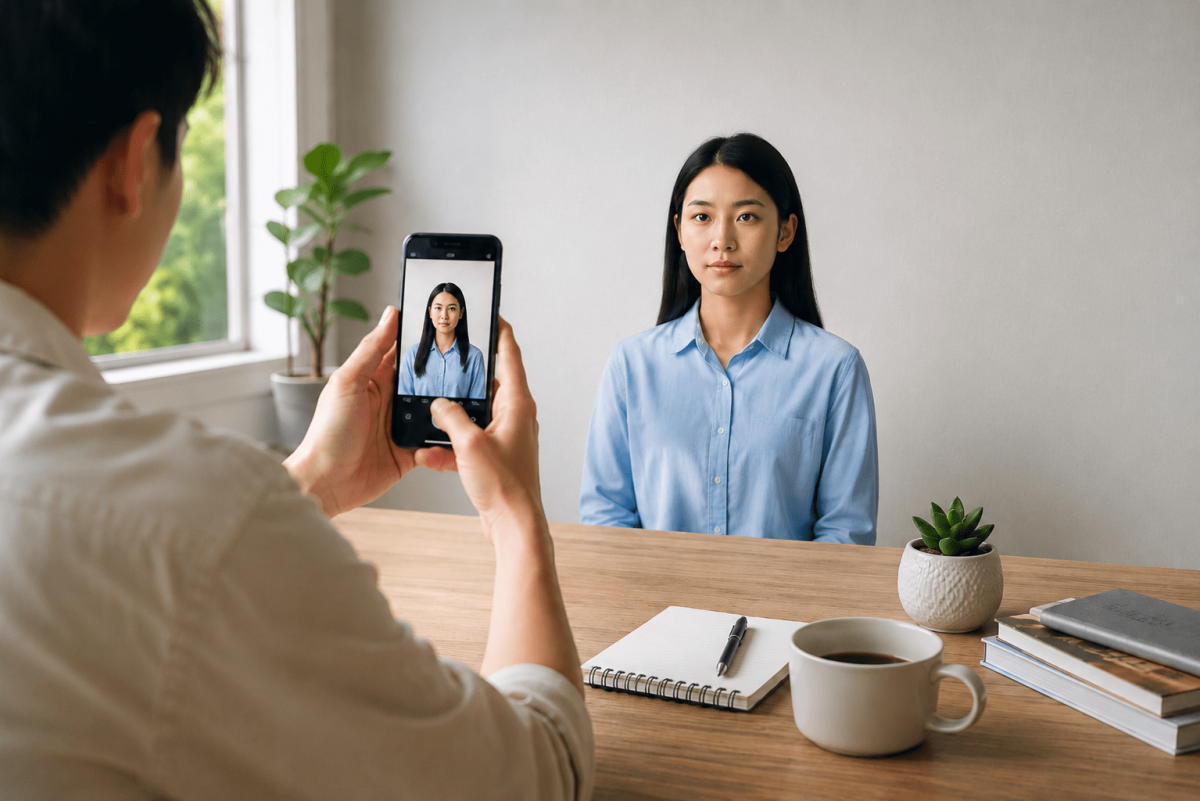
A better starting image usually gives a better result. The person should face the camera directly, use even lighting, avoid strong shadows, keep a neutral expression, and take the photo at eye level. Glasses, hair, hats, and clothing should follow the rules for the specific document.
It is also better to avoid filters. Beauty filters, heavy sharpening, portrait mode blur, and aggressive phone processing can all make the image less suitable for official use. A document photo should look clear and realistic, not stylized.
If the first photo is poor, editing can only help so much. In many cases, retaking the photo is faster than trying to fix a bad image.
The Small File That Can Delay a Big Application
Document photos are easy to underestimate because they feel like a minor part of the application. Compared with passports, visas, travel bookings, work documents, or school forms, the photo can seem like a small detail.
But a rejected photo can still delay the whole process.
That is why it is worth checking the image carefully before uploading it. Review the official requirements, use a recent photo, make sure the face is clear, and prepare the correct size and format. A photo that looks good on a phone will not always work for an official system.
A document photo does not need to be artistic. It needs to be clear, current, correctly formatted, and ready for upload. That is usually the real challenge: not taking a nice photo, but preparing the right file.