Long considered an indispensable asset for anybody working in CAD, the 3D mouse is a quintessential tool that belongs on the desktop of any industrial designer or engineer. Within a 3D application such as SolidWorks, Rhino, Fusion 360, or Keyshot, the directional, zoom and rotate functions provide an intuitive extension of the users’ design intent.…
These days, you can get just about any computer rig designed to your exact specifications. Whether you’re a RAM-hogging SolidWorks user, or simply just want a powerful workstation, there’s something for everybody. But no standardized hardware mod will ever replace the satisfaction of building your own rig from scratch. If you’ve ever wanted to create…
When it comes to side projects, hours become days, days become weeks, and weeks can often become months or years. But what if getting a minimum viable product created could happen on a Saturday…assuming you aren’t building a flying car? Many successful entrepreneurs have been touting the benefits of the 1-Day MVP—a one-day, all-out sprint…
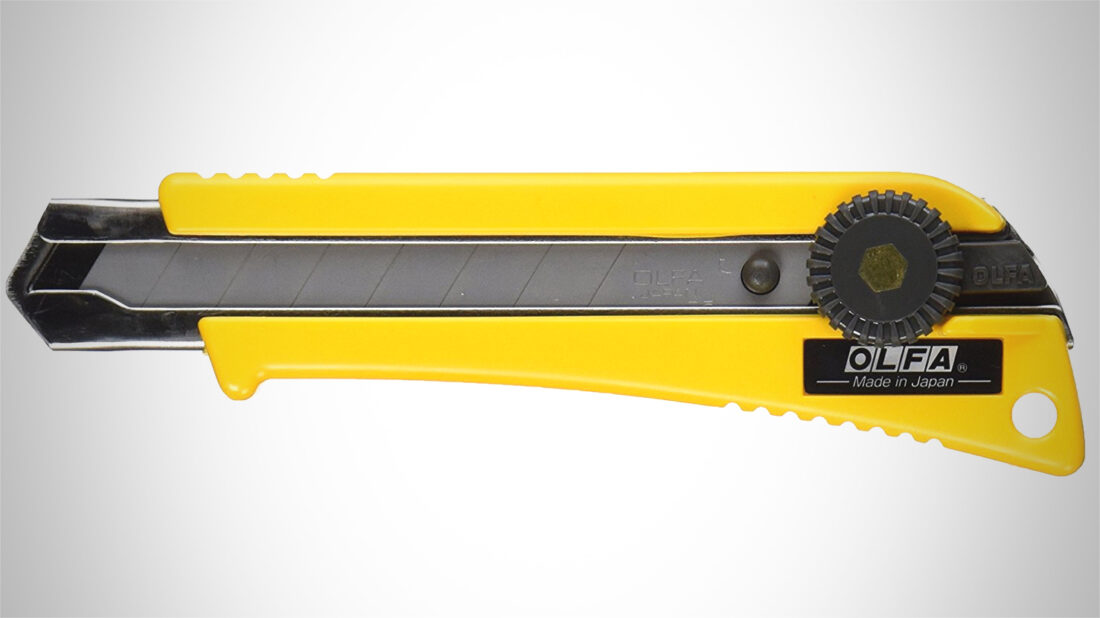
For those who spend their days slicin’ and dicin’ material—be it for rough prototyping or simply just opening up all those Amazon purchases—having the right utility blade is an absolute must. While we love the simple and old-fashioned X-Acto blade, we’ve found them to be better for precision cutting versus all-around, at-the-ready utility. When it…
Creo 5.0 now lets you model in perspective! I for one am excited! I’m relishing the thought of giving my eyes and brain a long-awaited respite. It’s just not natural to process depth using trimetric or dimetric projections. Unlike some of my industrial design buddies who gave up on Creo (formerly ProE) opting for other CAD programs tailored for us right brain dominant kind of folks, I decided to hang in there awaiting the day PTC tossed me the old proverbial “perspective bone”. Actually, I stuck around because I saw the power Creo offers for modeling any shape I could dream up.